If your WordPress website has a contact form, there is a good chance it runs on Contact Form 7. It has been one of the most popular free plugins around for well over a decade, and for a small business just wanting a simple way for customers to get in touch, it did the job perfectly well.
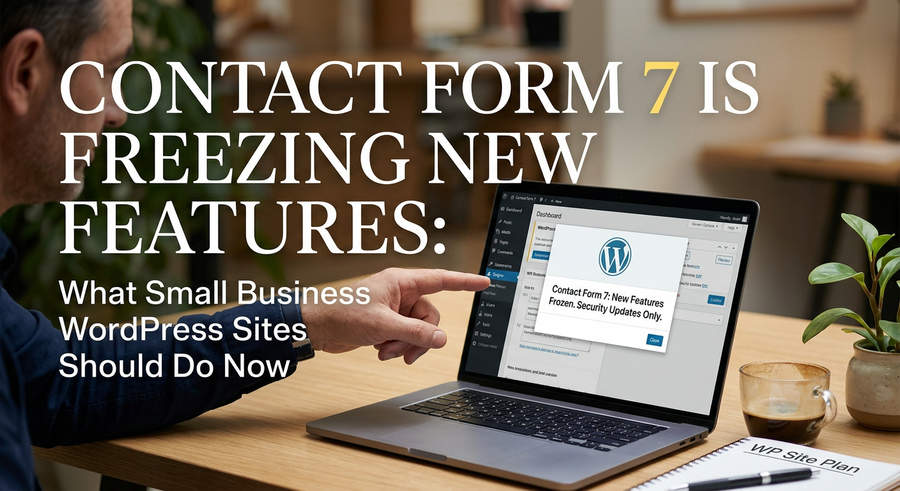
But things are changing. At WordCamp Asia 2025, Contact Form 7’s creator Takayuki Miyoshi confirmed publicly that the plugin will no longer receive new feature updates after version 6.2. Security fixes and basic maintenance may continue for a while, but active development is effectively over.
So what does that actually mean for your website, and what should you do about it?
Should You Be Worried Right Now?
Not panicked, no. Your existing forms are not going to stop working tomorrow morning. Contact Form 7 is still installed on millions of sites worldwide, and it will keep functioning in the short term.
The concern is more about what happens over the next year or two. WordPress itself updates regularly, and so does PHP (the language your site runs on). A plugin that is no longer actively developed will gradually fall out of step with those updates. When that happens, you can start seeing compatibility issues, broken forms, or security vulnerabilities that never get patched.
There have already been reports from users on WordPress.org and Reddit of forms breaking after the version 6.1 update. That kind of instability tends to get worse, not better, once a plugin stops moving forward.
Why This Matters More for Small Businesses
For a small business, your contact form is often the single most important element on your website. It is how potential customers reach you, how enquiries arrive, how bookings get made. If it stops working and you do not notice for a week, that is real business lost.
Larger organisations tend to have a developer checking things constantly. Most small business owners are juggling everything at once, so a silently broken form can go unnoticed far longer than it should. Getting ahead of this now, while everything is still working fine, is a much better position to be in.
What Your Options Are
The good news is that there are some solid alternatives. The most commonly recommended replacement is WPForms, partly because it has a built-in Contact Form 7 importer that can pull your existing forms across without you having to rebuild them from scratch.
Other options worth considering include:
- Gravity Forms – powerful and flexible, great if you need more complex form logic or integrations
- Fluent Forms – a lightweight option with a generous free tier
- Formidable Forms – suits businesses that want to do more with their data, such as building directories or calculators
- Ninja Forms – beginner-friendly with a solid free version
For most small business websites that just need a standard contact or enquiry form, WPForms or Fluent Forms will cover everything you need without overcomplicating things.
How to Make the Switch Safely
Before you touch anything on your live website, make a full backup. This is non-negotiable. Use a plugin like Duplicator or UpdraftPlus to create a complete copy of your site files and database. If anything goes wrong during the switch, you can restore everything exactly as it was.
Once you have your backup in place, the process is fairly straightforward:
- Install your chosen replacement plugin (WPForms, for example) and activate it
- Use the built-in importer if available, or recreate your forms manually (most simple contact forms take under ten minutes to rebuild)
- Update the shortcode or block on your contact page to display the new form
- Test the form thoroughly, including sending a test submission and confirming it arrives in your inbox
- Once you are happy everything works, deactivate and then delete Contact Form 7
Do not skip the testing step. It is worth sending a test message from your mobile as well as a desktop browser, as forms can behave differently across devices.
What About Spam Protection?
One thing to check when switching is your spam filtering. Contact Form 7 integrates with reCAPTCHA and Akismet, and many small business sites have those set up to stop junk submissions landing in the inbox. Your new plugin will have its own spam protection options, so make sure you configure those before going live with the new form.
WPForms, for instance, includes its own anti-spam token system as well as optional reCAPTCHA integration. It is worth spending five minutes setting that up properly rather than suddenly finding your inbox full of bot enquiries.
Not Comfortable Doing This Yourself?
That is completely understandable. If you would rather not poke around in the back end of your website, this is a straightforward job for a web developer or a managed WordPress support service. It should not take long or cost much, and getting it done properly is worth far more than a broken contact form costing you customer enquiries.
If your site is hosted and supported by a web agency, drop them a quick message to check whether they are planning to migrate Contact Form 7 for you. A good support team will already be on top of this.
The Bigger Lesson Here
This situation is a useful reminder that no plugin, however popular, lasts forever. Keeping your website maintained and your plugins up to date is not just a technical chore. It is genuinely part of running a business well online.
A website that quietly stops working, whether through a broken form, a security issue, or a compatibility problem, can do real damage to your reputation and your revenue. Staying a step ahead of these things is always easier than dealing with the fallout after the fact.
If you are unsure about the state of your website or any of the plugins it relies on, we are always happy to take a look and give you an honest picture of where things stand.