A customer fills in your contact form on Monday asking about a repair quote. You don't reply until Wednesday, so they message you on Facebook Tuesday morning. By Thursday they've called your office and are explaining the whole situation from scratch to whoever picked up the phone. That person has no idea about the Facebook message, no record of the contact form, and the customer hangs up frustrated. This is not an unusual story for UK small businesses. It plays out dozens of times a day across trades, consultancies, local shops, and service firms.
The fix is not simply being on more channels. It is connecting those channels so that every conversation, regardless of where it started, builds on the one before it. That is what this guide is about.
Why Your Customers Are Already Expecting More Than One Channel
UK consumers now routinely switch between at least three different contact points before a support issue is fully resolved. They might check your website's FAQ first, then open a live chat, then send a follow-up email when they don't get what they need, then call the next morning. Each of those steps feels natural to the customer. They're not trying to be difficult. They're just using whatever channel is most convenient at that moment.
The problem comes when your staff have no shared record of those previous steps. A customer who explains their issue on your website chat, then calls the next day, fully expects the person who answers to already know the background. When they have to start from scratch, it is not just annoying. It signals that your business doesn't have its act together.

Repeating yourself to multiple agents is consistently cited as one of the top reasons UK consumers lose confidence in a brand and take their business elsewhere. The research backs this up: customers who are forced to re-explain their situation rate the interaction as poor regardless of whether the eventual resolution was good. The effort required erodes trust before anyone has even solved the problem.
Small businesses often assume this is a problem for large retailers like John Lewis or ASOS, companies with contact centres and dedicated support teams. But the expectation gap does not scale with company size. A customer contacting a local plumber, a freelance accountant, or a family-run gift shop expects the same joined-up experience they get from the big players. The bar has been set by the best experiences people have ever had, not by what is reasonable for a five-person operation.
This article is a step-by-step practical guide, not a theory piece. By the time you reach the end, you will have a working plan you can begin acting on this week, covering which tools to consider, how to audit what you already have, and which gaps to close first. There is no requirement to overhaul everything at once. The goal is a realistic, affordable path toward the kind of connected support experience your customers are already expecting from you.
Multichannel vs Omnichannel: The Difference That Actually Matters
These two words get used interchangeably, and that confusion leads businesses to invest in the wrong things. Being multichannel simply means being reachable in more than one place: a phone number on your website, a Facebook page, a contact form, maybe a live chat widget. Most small UK businesses are already multichannel without having thought about it deliberately.
Being omnichannel is a different thing entirely. The defining characteristic is not the number of channels you operate, but whether all of those channels share a single, connected conversation history and customer record. If a customer contacts you on Facebook on Monday and calls you on Tuesday, does the person answering the phone know what was discussed on Facebook? If the answer is no, you are multichannel, not omnichannel.
Consider a practical example. A local plumber has a Facebook business page, a mobile number listed on their website, and a contact form that sends enquiries to a Gmail inbox. That is three channels, so the business is multichannel. But the Facebook messages are handled by one person on their personal phone. The calls go to a different person. The Gmail enquiries sometimes sit unread for days. There is no shared log, no ticket system, no way for any team member to see what a customer has already asked elsewhere. That is the problem omnichannel solves.
A useful way to think about it: multichannel is like having four separate filing cabinets, each labelled with a different channel, phone, email, chat, and social media. Each one is locked and only the person assigned to that channel has a key. Omnichannel is one shared filing cabinet that every team member can open, with every customer's full history in a single folder. When someone picks up the phone, they open that folder before they say hello.
The practical benefits of making that shift are real and measurable. Businesses that move to a connected model typically see fewer repeated complaints because agents already have context before the conversation begins, which shortens the time it takes to reach a resolution. Customers spend less time re-explaining. Agents spend less time asking questions they shouldn't need to ask. The whole interaction becomes more efficient on both sides.
The key takeaway here is that you do not need more channels. You need the ones you already have to talk to each other. A business with two well-connected channels will always outperform one with six disconnected ones.
Map Your Current Channels Before You Change Anything
Before buying any software or making any process changes, you need an honest picture of where you are right now. This step takes about two hours and will tell you more about your support operation than most businesses ever bother to find out.
Do a Full Channel Audit
Start by listing every single place a customer can currently contact you. This means every channel, not just the official ones. Include the contact form on your website, your main business email address, any secondary email addresses different staff use, your main phone line, any mobile numbers staff give out to clients, your Facebook page, Instagram DMs, Google Business Profile messages if you have them enabled, and WhatsApp if anyone on your team uses it for customer conversations.
That last one catches a lot of businesses off guard. It is extremely common for trades and service businesses to discover that one or two members of staff have been handling a significant volume of customer enquiries through their personal WhatsApp numbers. Those conversations are invisible to the rest of the business. There is no log, no record, and if that person is off sick or leaves, the history disappears with them. For many small UK service businesses, WhatsApp or a personal mobile number is handling as much as 40 percent of all incoming enquiries without a single one being logged anywhere.
Identify Your Blind Spots
Once you have your full list, mark each channel to show whether there is any ticketing or logging system behind it. A channel with no system is a blind spot. Enquiries come in, they may or may not get answered, and there is no way to review, audit, or learn from what happened.
Common blind spots for small UK businesses include:
- Facebook and Instagram DMs managed from a personal phone with no record kept
- A general info@ email address checked by multiple people with no shared inbox tool
- Phone calls that are never logged anywhere, so there is no record a call even happened
- Contact forms that email a single member of staff and go nowhere if they are unavailable
Record Response Time Averages per Channel
For each channel on your list, estimate your average response time. Be honest. A typical finding for a small UK business looks something like this: phone calls are returned the same day, emails take two to three days, and social media messages are sometimes unanswered for a week or more. That inconsistency is itself a problem, because customers do not know which channel to trust and may try all of them at once, creating duplicate enquiries that confuse your team.
Build a simple spreadsheet with four columns: channel name, who manages it, average response time, and whether it connects to any CRM or shared system. That is genuinely all you need for this step. No specialist software, no consultants. A Google Sheet takes fifteen minutes to set up and will give you a clear visual picture of your current state.
What you are looking for is the two or three highest-priority gaps to fix first. Trying to overhaul every channel simultaneously is the most common reason businesses abandon this process halfway through. Your audit will usually make the priorities obvious: the channel with the slowest response time and no logging system is where customer experience is suffering most, and that is where you start.
Choosing a CRM That Works as Your Central Record
The audit gives you the map. A CRM gives you the filing cabinet. Without a central customer record that every channel feeds into, you cannot achieve a genuinely connected experience regardless of how many individual tools you use. But the word CRM frightens many small business owners because they picture enterprise software that costs thousands and takes months to implement. For most UK businesses with fewer than ten staff, something far simpler will do the job.
The three questions to ask before choosing a CRM are: does it accept data from the channels you actually use, can everyone on the team access it without a complicated login process, and does it create a timeline view of every interaction a customer has had with you? Everything else is secondary.
For a small trades or service business just getting started, HubSpot CRM is genuinely free for the core features and connects to Gmail, Outlook, and most website contact forms with minimal setup. When a customer submits your contact form, HubSpot creates a contact record automatically and logs that first message. When you reply by email, the reply is logged against the same record. When you make a follow-up call and log a note, that sits in the same timeline. A new team member picking up that customer's next call can see the full history in thirty seconds.
A worked example helps here. Imagine a five-person kitchen fitting company in Worthing. Before using any CRM, enquiries arrived by phone, via a website form, and through Facebook Messenger. Each of those three channels was managed by a different person. When a customer rang to chase a quote they had requested online three days earlier, the person answering had no idea a quote had been requested. The customer interpreted this as the company not caring about their business, and called a competitor.
After setting up HubSpot, the company connected their website form directly to the CRM using a free Zapier integration. Facebook lead messages were routed to the same system using Meta's CRM integration. Phone calls were logged manually by whoever took them, using a thirty-second note in the contact record. Within four weeks, every team member could see the full history of any customer before speaking to them. The number of customers who had to repeat themselves dropped immediately. The number of quotes that went unanswered because they fell through the cracks went to zero.
The one error businesses make most often at this stage is creating duplicate contact records. This happens when someone submits a form under one email address, then messages on Facebook using a name that doesn't obviously match. You end up with two records for the same person, and the joined-up view falls apart. Most CRMs offer a merge function for duplicates, but preventing them in the first place is better. Train your team to search for an existing record before creating a new one whenever they log a contact manually. That single habit keeps your data clean.
Turning Email Into a Tracked, Shared Support Channel
Email is still the backbone of customer service for most UK small businesses, but it fails the moment it lives in one person's personal inbox. If your enquiries land in sarah@yourbusiness.co.uk and Sarah is off sick, those messages sit unseen. A shared support address such as support@yourbusiness.co.uk, managed through a proper helpdesk tool, fixes this immediately. Every team member can see what has arrived, what has been answered, and what is still waiting.
Tools like Freshdesk, Help Scout, or even Gmail's Collaborative Inbox feature allow multiple agents to see, assign, and reply to emails without duplicating responses or losing threads. Nothing frustrates a customer more than receiving two different answers from two different people who didn't know the other had replied. A shared inbox with assignment rules prevents that from happening.
Help Scout starts at around 20 USD per user per month and is particularly popular with UK service businesses because the customer receives what looks like a normal email reply. There is no ticket portal to log into, no reference numbers cluttering the subject line on the customer's side. The structure happens behind the scenes, where it belongs.
Every reply your team sends should include the ticket or reference number in the thread, even if only in the footer. When a customer follows up by phone two days later, the agent can ask for that number and pull up the entire history in seconds. That is what turns a disconnected series of emails into a continuous, joined-up conversation.
Your autoresponder is doing more work than you might think. A good one confirms receipt, states a specific response window such as within four business hours on weekdays, and gives a direct phone number for anything urgent. Vague promises like we will get back to you shortly erode trust; specific commitments build it.
Finally, any thread that has not been resolved within your agreed service level window should trigger an escalation alert in your CRM. These are the tickets most likely to generate a negative Google review, not because the customer had a bad experience, but because they felt ignored. A timed alert catches them before they go cold.
Making Your Phone Line Part of the Connected System
Phone calls are the channel small businesses most consistently fail to integrate, and the consequences are disproportionate because phone is still the channel customers use when something matters most to them. A customer who emails about a minor query is patient. A customer who calls is usually either ready to buy or already frustrated. Either way, the person answering needs context fast.
The structural problem with phone calls is that they produce no automatic record unless you deliberately create one. An email timestamps itself and stores its own content. A phone call leaves nothing behind unless someone writes a note. That note then needs to exist somewhere every team member can see it, which means it cannot live in a personal notebook, a Post-it stuck to a monitor, or the call log on one person's mobile.
For businesses still using a single mobile number as their main contact line, a virtual phone system is the single most impactful upgrade available. Services like Vonage Business, RingCentral, or UK-based provider bOnline give you a geographic or 03 number that routes to any device, records calls with your consent, and integrates with most CRMs. bOnline's entry plan runs at around 9 GBP per user per month and is designed specifically for UK small businesses. The call recording feature alone, combined with CRM integration, transforms phone from your least traceable channel into one of the most detailed.
Even without a VoIP system, you can build a workable phone logging habit with three rules. First, every call that involves a customer query or complaint gets a note logged in the CRM within five minutes of hanging up. Second, the note uses a consistent format: customer name, date and time, what they asked or reported, what was promised, and the next action with a deadline. Third, if the call relates to an existing open ticket, the note is added to that ticket rather than creating a new record. Those three rules cost nothing and give you a complete audit trail.
One edge case businesses routinely get wrong: calls that come in while the primary contact is unavailable and are taken by someone who doesn't usually handle customer service. A receptionist, a colleague covering the desk, or a business owner who happens to pick up. These calls almost never get logged. The customer believes they have made contact and is waiting for a follow-up that no one on the team knows they promised. A simple paper call log beside every phone in the office, with instructions to photograph and email it to the support address at the end of each day, catches these before they become complaints.
Managing Social Media Messages Without Letting Them Fall Through the Cracks
Social media is where small businesses most commonly drop the ball on customer service, and it is rarely through bad intentions. The problem is structural. Facebook Messenger, Instagram DMs, and mentions on X (formerly Twitter) each live in separate apps, each with their own notification systems, and none of them connect to the places where the rest of your customer communication happens.
For a business with more than one person involved in social media, or any business that takes more than a handful of messages per week, a social inbox tool is not a luxury. Platforms like Agorapulse, Sprout Social, or Meta Business Suite pull messages and comments from multiple channels into a single moderation queue where they can be read, assigned, and tracked.

Agorapulse has a small business plan starting at around 49 GBP per month and connects Facebook, Instagram, X, LinkedIn, and TikTok into one queue. For most UK small businesses, that covers every social platform that generates meaningful customer contact. The cost is worth it the first time a complaint would otherwise have sat unread for 36 hours.
The single most important workflow rule for social messages is this: every message must be assigned to a named person with a response deadline attached. A shared inbox with no owner is not a system, it is a digital waiting room where messages slowly die. Whoever opens the inbox in the morning assigns each unattended message before doing anything else. That one habit prevents the majority of missed contacts.
Public comments on posts need a two-step approach. Within one hour, post a brief public acknowledgement: something like Thanks for getting in touch, we will send you a DM now to sort this out. Then move the full conversation to a private message. This matters for two reasons. The customer's personal details and account information stay private. And anyone reading the public post sees that you respond promptly and professionally, which is worth more to your reputation than the original complaint ever costs.
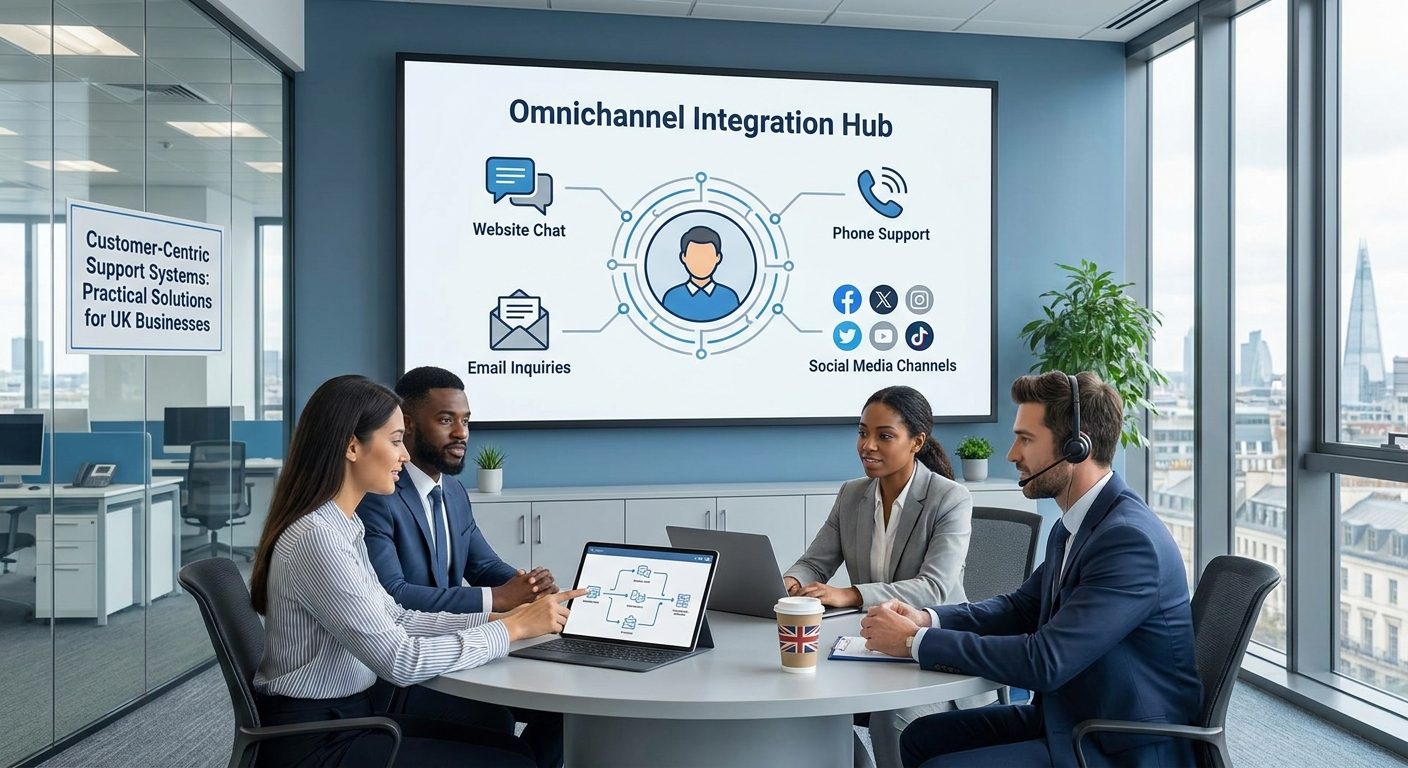
Where your social inbox tool allows it, connect it to your CRM. The goal is that when a customer who messaged you on Instagram last Tuesday calls your phone number on Thursday, the person answering the phone can see that Instagram conversation before the customer finishes explaining the situation. omnichannel support treats every touchpoint as part of one continuous relationship, not a fresh start each time.
One more point that many businesses get wrong: never delete a negative public comment unless it genuinely breaches the platform's community guidelines, contains abusive language, or includes personal data that should not be public. Deleting a legitimate complaint looks worse than the complaint itself. A calm, empathetic public reply that invites the customer to continue the conversation privately is visible to every future visitor to your page. It is free reputation management, and it works.
Adding Live Chat to Your Website Without Creating Another Silo
Live chat is the channel most likely to be added to a small business website in isolation. Someone installs a chat widget, it generates conversations, those conversations are read in the chat app itself, and nothing is ever connected to the CRM or the email inbox. Six months later the chat history contains dozens of customer interactions that no one can reference when the same customer calls or emails.
The rule for live chat is the same as for every other channel: it only earns its place if the conversations it generates become part of the central customer record. Most chat tools either have native CRM integrations or can be connected via Zapier. Tidio, which is popular with UK small business websites built on WordPress and Shopify, connects directly to HubSpot and sends chat transcripts to the linked contact record automatically. The free plan covers up to 50 chat conversations per month, which is enough for most service businesses to start with before paying for anything.
Chat also introduces a specific expectation problem that email does not. When someone opens a chat window and types a message, they expect a response within minutes, not hours. If your team cannot realistically monitor chat during business hours, do not run it as a live channel. Use the widget to collect a name, email address, and message instead, and route that as a contact form submission to your support inbox. Tidio and most other tools offer this fallback mode. A customer who submits a message and receives a confirmation email with a four-hour response commitment is far less frustrated than one who opened a chat, waited twenty minutes, and received nothing.
If you do run live chat during business hours, brief canned responses for the ten most common opening questions save time and ensure consistency. Responses like Thanks for getting in touch. Can I take your name and a quick summary of what you need help with? can be triggered with a single keystroke in most platforms. They are not impersonal if they are followed immediately by a genuine, specific reply. They simply give the agent a few seconds to look up the customer's existing record before the real conversation begins.
Building the Workflow That Keeps Every Agent on the Same Page
The tools you choose only take you so far. A business can have a CRM, a shared inbox, and a social media management platform, and still deliver a fractured customer experience if the human workflow is vague. Technology surfaces the information; your process determines what people actually do with it.
Start with a universal ticket lifecycle that every channel feeds into. Define five stages and use them consistently:
- Received (the message has arrived and been logged)
- Assigned (a named team member owns it)
- In progress (active work is happening)
- Awaiting customer (you have responded and are waiting for a reply)
- Resolved (the issue is closed to the satisfaction of both sides)
Every channel, whether it is a phone call logged manually, an email, a social DM, or a live chat transcript, must enter this same lifecycle. When a ticket's stage is visible to everyone on the team, nobody can claim they didn't know it was their responsibility.
Write down your triage rules. This is the step most small businesses skip because it feels overly formal for a team of three or four people. But informal triage means the rules exist only in the head of the most senior person available, and they only get applied inconsistently. A simple written rule might be: any message using the words refund, complaint, or legal is escalated to a senior team member within one hour, regardless of the channel it arrived on. That rule protects both the customer and the business.
For businesses with fewer than five members of staff, you do not need expensive software to run a functional ticket workflow. A shared Trello board with columns matching those five stages works perfectly well. A free Freshdesk account handles email and basic ticket management at no cost. The principle matters more than the platform. Start with the simplest tool that gives everyone visibility, and upgrade later when your volume demands it.
Internal notes are one of the most underused features in helpdesk tools. When a team member picks up a ticket that a colleague started, they need context fast. An internal note (invisible to the customer) lets the first agent write something like: Customer is a long-term account, has had two previous issues with delivery, is currently frustrated but polite. That briefing takes thirty seconds to write and prevents the second agent from inadvertently saying something that makes a tense situation worse. It also means the customer never has to repeat themselves, which is one of the top complaints people have about customer service across every industry.
Build a weekly review of open tickets older than five days into your team's routine. These are the conversations most at risk of generating a negative Google review, because the customer has been waiting long enough to feel forgotten. A five-minute scan on Monday morning, assigning or chasing anything that has gone quiet, catches most of them before they escalate. The cost of that five minutes is negligible compared to the reputation damage of an avoidable one-star review.
Document the whole workflow in a single page. Not a lengthy manual, not a slide deck, just one printed or shared document that describes the five stages, the triage rules, the escalation path, and the tools involved. A part-time member of staff picking up enquiries during the Christmas rush, or a new hire in their first week, should be able to follow your customer service process without needing to ask a colleague how it works. If the process only lives in people's heads, the process disappears every time someone takes a day off.
Measuring Whether Your Omnichannel Setup Is Actually Working
Connecting your channels is not a one-time project. It is an ongoing system, and like any system it needs regular measurement to tell you whether it is doing its job. Without specific numbers to track, improvements become invisible and problems go unnoticed until they show up as lost customers or bad reviews.
Four metrics cover the essentials for a small business and can be tracked without specialist analytics software.
First response time by channel. This is the time between a customer's first message arriving and a team member sending the first reply. Track it separately for each channel: email, social, phone (measured as time to return a call), and chat. Your goal is not necessarily the same target across every channel. Chat users expect a response within five minutes during business hours. Email users are typically comfortable with a four-hour window on weekdays. But you need to know your actual figures before you can decide whether they are acceptable.
Repeat contact rate. This is the percentage of customers who contact you more than once about the same issue within seven days. A high repeat contact rate tells you that first responses are not resolving the problem, or that customers are not confident the issue is being handled and are chasing. Either way, it is a direct measure of whether your connected system is doing its job. In a well-functioning omnichannel setup, repeat contact rates drop because customers receive a complete resolution the first time and have a clear expectation of next steps.
Channel switch rate. Count how often a conversation that started on one channel appears again on a different channel within 48 hours. A customer who emails on Monday and then calls on Wednesday about the same issue is a channel switch. High channel switch rates indicate that one of your channels is either too slow or not trusted, and customers are escalating to a different method to get a faster answer. Your audit spreadsheet, updated monthly, makes this visible without any additional software.
Resolution rate at first contact. For every ticket that is opened, what proportion are marked resolved after a single exchange, without the customer needing to follow up? This is the clearest single indicator of whether your team has the context and authority to handle issues properly the first time. A team that consistently has to say I will need to check and call you back because they cannot see the customer's full history will have a low first-contact resolution rate. Improving CRM adoption and internal note quality tends to move this number faster than any other change.
Review these four numbers once a month, as a team if possible. Not to apportion blame, but to identify which channel or which stage of the workflow is creating the most friction. A ten-minute monthly review with these four figures on a shared screen gives a small business team more actionable insight than a lengthy annual customer satisfaction survey. The goal is a trend line moving in the right direction, not perfection from the outset.