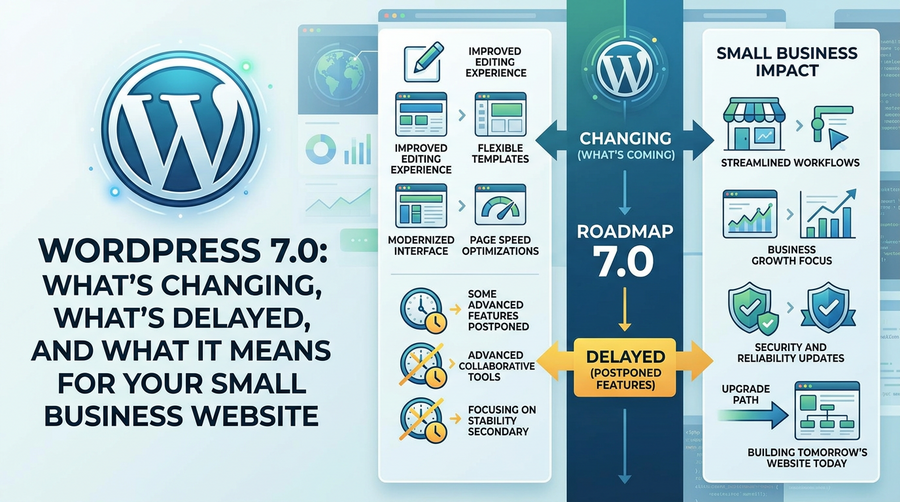
If your website runs on WordPress, you may have heard that version 7.0 has been delayed. Originally scheduled for release on 9 April 2026 at WordCamp Asia, the update has been pushed back to 20 May 2026. The reason? Developers are still working to stabilise one of its most ambitious features to date: real-time collaboration.
For most small business owners, a delayed WordPress release is not cause for panic. But understanding what’s coming, what’s been held back, and how it might affect your site is worth a few minutes of your time.
So What Is Real-Time Collaboration, Exactly?
Real-time collaboration would allow multiple people to edit the same WordPress page or post at the same time, much like how Google Docs works. You would see your colleague’s cursor moving around the screen, changes appearing live, no more overwriting each other’s work.
It sounds brilliant in theory. In practice, it requires a significant rethink of how WordPress stores data in its database. That architectural change is precisely what’s causing the delay. The core development team entered the Release Candidate phase (essentially a near-final version) and then had to pull back for additional stability work, something that is reportedly a first in the project’s modern history.
The feature will still arrive in WordPress 7.0 when it eventually ships. The delay is about getting it right rather than scrapping it entirely.
What Will Actually Be in WordPress 7.0?
Real-time collaboration is getting all the headlines, but 7.0 is described as a major release with other meaningful updates arriving alongside it. While the full change list continues to evolve, the release is expected to mark the beginning of what the WordPress team calls a “restored three-release-per-year” schedule.
For small business sites, the practical day-to-day improvements are likely to include refinements to the block editor (Gutenberg), performance improvements, and continued work on the site editing experience that has been rolling out over recent versions. In short, things should feel faster and easier to manage.
Does the Delay Actually Affect Your Website Right Now?
In a word: no. A delayed release simply means the update hasn’t landed yet. Your existing WordPress site continues to work exactly as it does today. You don’t need to do anything differently while you wait.
That said, the delay is a useful prompt to make sure your site is in good shape ahead of any major update. Now is a sensible time to:
- Check that your current WordPress version, theme, and plugins are all up to date
- Make sure your hosting provider takes automatic backups before applying major updates
- Note which plugins your site depends on most heavily, particularly page builders, SEO tools, and ecommerce plugins
- Ask your web designer or agency whether they plan to test the update on a staging site before pushing it live
Plugin Compatibility: The One Thing Worth Watching
Whenever WordPress releases a major version number update, there is always a short window where some plugins take a little time to catch up. Most reputable plugin developers release compatibility updates quickly, but it is worth being cautious about updating on day one if your site relies on specialist tools.
The real-time collaboration feature involves changes to WordPress’s core data storage architecture. That is a deeper kind of change than a typical release, which means plugin developers have had extra work to do. Given that the release was already delayed for stability reasons, it is sensible to wait a week or two after WordPress 7.0 launches before updating your live site, just to let the dust settle.
If your site is managed by an agency like ours, this is something we handle on your behalf. We monitor compatibility, test updates, and only apply them once we’re satisfied nothing will break.
Should Small Business Owners Be Worried About WordPress Generally?
There has been some wider noise in the WordPress community recently, including a legal dispute involving co-founder Matt Mullenweg that some commentators suggest has been a distraction for the project. It’s worth acknowledging that context exists, but it shouldn’t change your view of WordPress as a platform for your business.
WordPress still powers around 43% of all websites on the internet. It has a vast developer community, enormous plugin ecosystem, and a long track record of moving forward even through turbulent periods. A delayed release, while unusual at the Release Candidate stage, is a sign that the team is taking quality seriously rather than shipping something broken.
What to Do Between Now and the WordPress 7.0 Launch
You don’t need to sit on your hands waiting. A few practical steps will put you in a strong position once the update arrives:
- Log into your WordPress dashboard and apply any pending minor updates (these are safe to do now)
- Ask your hosting provider about their backup and restore process
- If you use a page builder like Elementor or Divi, keep an eye on their blogs for compatibility announcements around May 2026
- If someone else manages your site, drop them a quick message to make sure they have the 7.0 update on their radar
WordPress 7.0 is shaping up to be a genuinely interesting release when it arrives. The real-time collaboration feature alone could make life easier for any small business with more than one person involved in updating the website. The delay is frustrating, but the May 2026 timeline at least gives you a clear window to prepare.
If you’re unsure whether your site is ready or you’d like someone to manage the update process for you, get in touch with the team at Samson Web Design. We look after WordPress websites for small businesses across Worthing, West Sussex, and beyond, and we’re happy to make sure your site stays secure, up to date, and working properly.