WordPress runs roughly 43% of all websites on the internet, which makes it both the world's most popular website platform and its most frequently attacked one. If your business website runs on WordPress and you haven't touched it in six months, there's a real chance someone has already probed it for weaknesses. This guide explains what you actually need to do, in plain English, without assuming you know what an XSS vulnerability or a PHP patch is.
Why WordPress Sites Get Hacked
WordPress itself is not inherently insecure. The platform has a dedicated security team that identifies and patches vulnerabilities quickly. The problem is that the protection only works when you actually apply those patches. Leaving your site on an old version of WordPress, with unupdated plugins and themes, is a bit like changing the lock on your front door but leaving the back window open.
Hackers rarely target specific small businesses by name. They run automated tools that scan thousands of sites at once, looking for known weaknesses in outdated software. Outdated plugins and themes represent the primary attack vector for WordPress sites, because the vulnerabilities in them are publicly documented once a patch is released. If you haven't updated, attackers know exactly where to look.
Common entry points include:
- Plugins that haven't been updated for months or years
- Themes from unknown sources, or themes that are no longer maintained
- Weak or reused admin passwords
- The default WordPress login URL, which bots routinely hammer with login attempts
- Hosting environments running outdated versions of PHP
What Happens If Your Site Is Compromised
For a small business, a hacked website is not just a technical inconvenience. At its mildest, you might find your site defaced or temporarily offline. More seriously, attackers can inject malware that gets flagged by Google, causing your site to appear with a red warning page in search results. That kind of visibility loss can take weeks to recover from, even after you've cleaned up the infection.
There's also a legal dimension that UK business owners sometimes overlook. If your site collects any personal data, whether that's contact form submissions, customer email addresses, or payment details, a breach may trigger obligations under UK GDPR. WordPress security obligations under UK GDPR include notifying the ICO within 72 hours of becoming aware of a reportable breach. Missing that window can result in a separate infringement on top of the original incident.
For a small business, the reputational damage of customers finding out their data was exposed is often worse than any regulatory fine. Keeping your site updated and secured is one of the simplest steps you can take to avoid that situation entirely.
The Updates You Actually Need to Stay On Top Of
WordPress updates come in a few different forms, and they're not all equal. Understanding the difference helps you decide what to automate and what to review manually.
Core WordPress updates fall into two categories. Minor security releases, for example moving from version 6.5.3 to 6.5.4, fix specific vulnerabilities and should be applied as soon as possible. These are generally safe to automate. Major version releases, such as moving from WordPress 6.5 to 6.6, can occasionally affect how your site looks or behaves, so it's worth doing a backup first and checking things look correct after updating.
Plugin updates are where most sites come unstuck. Many small business websites have ten, fifteen, or even twenty plugins installed, each of which is a separate piece of software with its own update schedule and vulnerability history. A good rule of thumb is to check for plugin updates at least once a week, and always update plugins that carry a security notice immediately.
Theme updates follow similar logic. If you're using a commercial theme from a reputable developer, keep it updated. If your site uses a custom theme that hasn't been touched in years, it's worth having a developer review it for any known issues.
Practical Steps Any Business Owner Can Take
You don't need to understand the technical details of every vulnerability to keep your site safer. A handful of consistent habits make a significant difference.
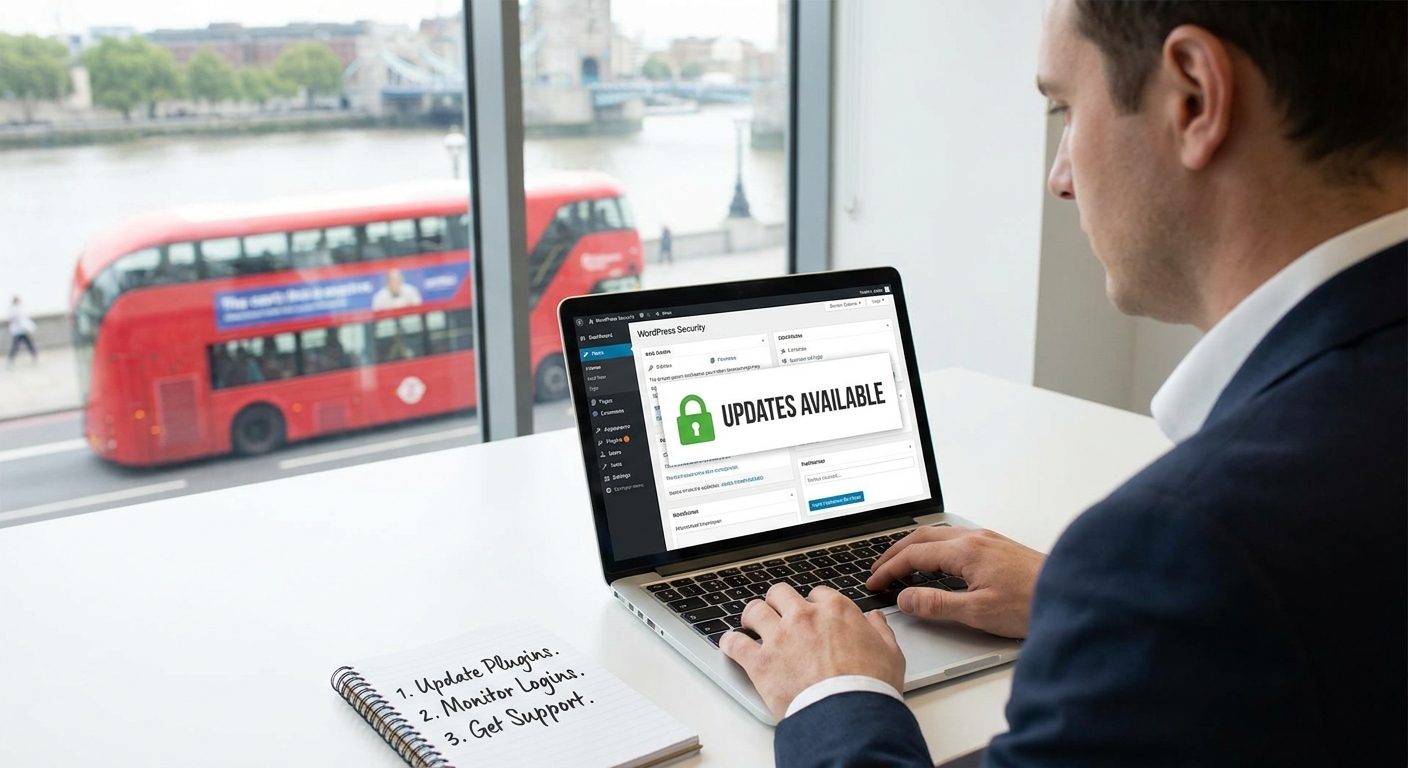
- Set a weekly reminder to log into your WordPress dashboard and check for updates. The notification badge at the top of the screen tells you exactly what needs attention.
- Use a strong, unique password for your WordPress admin account. A password manager like Bitwarden or 1Password makes this easy to maintain across multiple logins.
- Enable two-factor authentication (2FA) on your WordPress login. Free plugins like WP 2FA or the Google Authenticator plugin add this in a few minutes.
- Change the default login URL. The standard WordPress login sits at yoursite.co.uk/wp-admin. Plugins like WPS Hide Login let you move it to a custom address, which dramatically reduces automated bot attacks.
- Take regular backups. Before any major update, run a full backup. Plugins like UpdraftPlus make this straightforward, and you can store copies in Google Drive or Dropbox automatically.
- Install a security plugin. Tools like Wordfence or Sucuri provide a firewall, malware scanning, and login monitoring. The free versions of both cover the basics well for small business sites.
None of these steps require technical knowledge beyond following on-screen instructions. The time investment is genuinely small compared to the cost of dealing with a compromised site.
Monitoring: Knowing When Something Is Wrong
Updates and strong passwords reduce your risk, but monitoring helps you catch problems early if something does slip through. Most security plugins include email alerts for failed login attempts, file changes, and new user registrations. Turn those alerts on and actually read them.
Google Search Console is another free tool worth connecting to your site. If Google detects malware or deceptive content on your pages, you'll receive a notification before your search rankings take the full hit. Setting up Google Search Console takes about fifteen minutes and gives you early warning of several types of issue that would otherwise go unnoticed for weeks.
Your hosting provider can also be a first line of defence. Quality WordPress hosting typically includes server-level malware scanning and firewall rules. If you're on very cheap shared hosting, it may be worth reviewing whether your hosting environment is actually providing that layer of protection.
When to Get Professional Help
Managing updates, backups, and monitoring yourself is entirely possible for a simple site. But many business owners simply don't have the time to do it consistently, and inconsistency is where the risk creeps in. A site that was diligently updated for six months and then left alone for three months during a busy period is still a vulnerable site.
A WordPress maintenance plan from a trusted agency or developer takes that responsibility off your plate. Typically this covers regular updates, scheduled backups, uptime monitoring, and a point of contact if something goes wrong. For a small business that depends on its website for leads or sales, the monthly cost of a maintenance plan is usually modest compared to the cost of recovering from a breach or a site being offline during a busy period.
It's also worth considering professional support if your site handles any sensitive data, runs WooCommerce for online sales, or has had security issues in the past. The more your website does, the more there is to lose from poor maintenance.
Keeping Security Simple and Consistent
WordPress security does not have to be complicated. The vast majority of attacks on small business websites succeed because of basic, avoidable issues: an outdated plugin, a weak password, a login page with no protection. Fixing those things is within reach for any business owner, regardless of technical background.
The core habit to build is consistency. Regular updates, weekly checks, automatic backups, and a security plugin running in the background will protect most small business sites from most threats most of the time. If you want to go further, or if the upkeep feels like too much to manage alongside running your business, professional WordPress support is a straightforward and worthwhile investment.