If you run a trade or local service business, Google Ads can put your name in front of someone searching for exactly what you do, right now, in your area. The problem is that most guides are written for marketers, not for a plumber trying to fill their diary or a cleaning company looking for regular clients.
This guide strips it back. No jargon, no assumptions, just the essential steps to get a first campaign live and working for a local UK audience.
Start With a Realistic Budget
Before you touch Google Ads, decide what a new customer is worth to you. If a boiler service nets you £150 and you convert one in every five phone calls, you can afford to spend up to £30 per call before you break even. That number, your maximum cost per lead, should anchor everything.
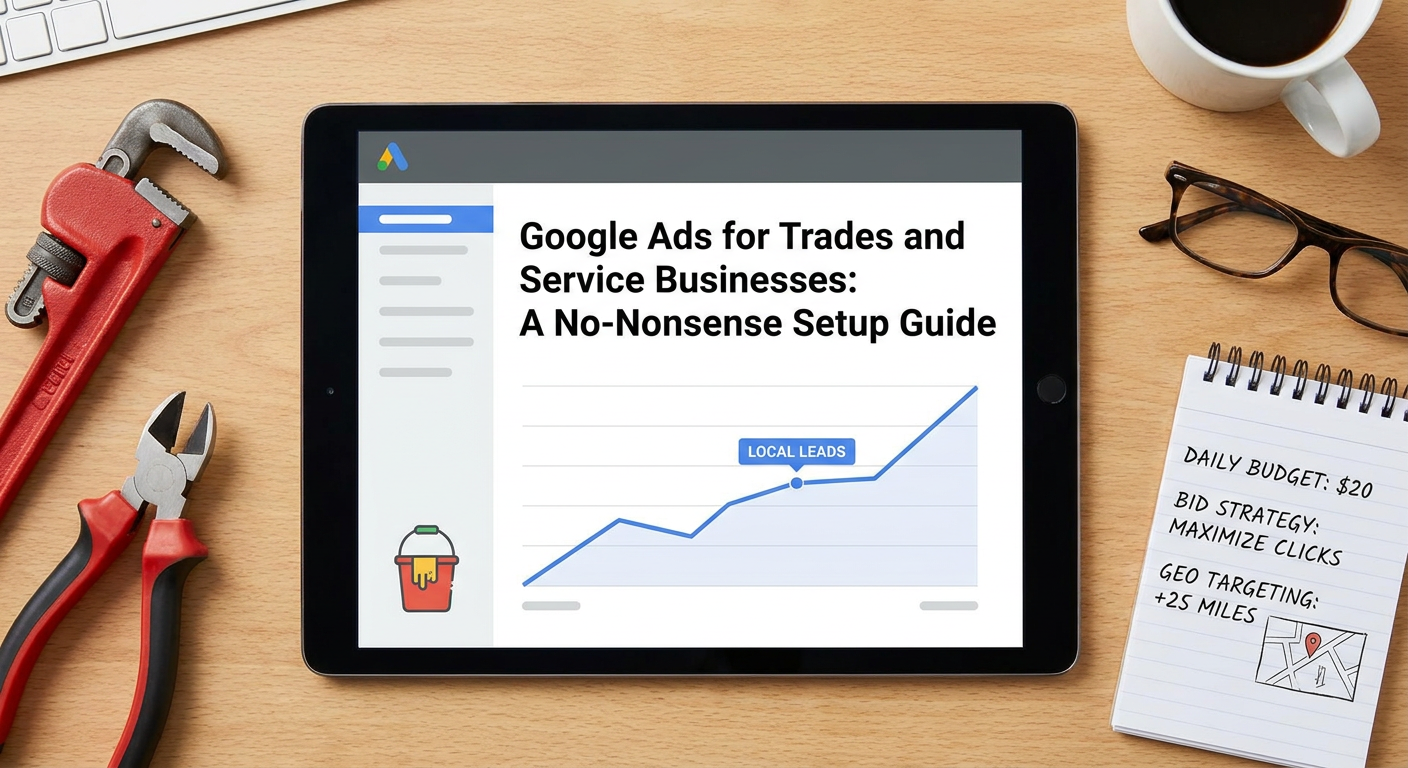
For most trades in the UK, a sensible starting budget is somewhere between £10 and £25 per day. That gives you enough data to see what is and is not working without burning through money in a fortnight. Do not start with £5 a day as Google simply will not show your ads often enough to learn anything useful.
One thing worth knowing: Google will try to nudge you towards spending more. Ignore the recommendations tab to begin with and keep your daily budget fixed until you have at least two to three weeks of data.
Choose the Right Campaign Type
Google offers several campaign types, but for a local trade or service business just starting out, Search campaigns are the right choice. These show text ads to people actively typing searches into Google, people already looking for a plumber, electrician, or decorator in their area.
You may see Google push you towards a Smart campaign or Performance Max (often called PMax) during setup. These automated options hand a lot of control over to Google's algorithm. They can work well eventually, but they need plenty of conversion data to optimise properly, data a brand new account does not have. Start with a standard Search campaign so you stay in control.
Get Your Geographic Targeting Right
This is the step most first-timers get wrong. By default, Google may target a much wider area than you actually serve. A Worthing-based electrician does not want to pay for clicks from people in Leeds.
In your campaign settings, set location targeting to the specific towns, postcodes, or radius around your base that you genuinely cover. A 10 to 15 mile radius works well for most local trades. You can target by town name, county, or draw a custom radius around your business address.
Also check the location options setting. Make sure it is set to Presence (people physically in your targeted area) rather than Presence or interest, which can show ads to anyone who has ever searched about your area regardless of where they are sitting.
Pick Keywords That Match Real Customer Searches
Think about exactly how a customer would type their problem into Google. They are not searching for your company name, they are searching for things like:
- emergency plumber Worthing
- boiler repair near me
- electrician West Sussex
- end of tenancy cleaning Brighton
Start with a tight list of 10 to 20 highly relevant phrases. More keywords is not better at this stage. You want control, not volume.
Use phrase match for most of your keywords. This tells Google to show your ad when someone's search includes your keyword phrase, in roughly that order. Avoid broad match to begin with as it can burn through budget on irrelevant searches very quickly.
Equally important: set up a negative keyword list from day one. Add terms like free, DIY, jobs, course, and training so you are not paying for clicks from people who want to do the job themselves or learn the trade.
Write Ads That Actually Get Calls
Google's current Search ads use a format called Responsive Search Ads. You write up to 15 headlines and four descriptions, and Google mixes and matches them. In practice, focus on getting five strong headlines right and the rest will follow.
Good headlines for a local trade ad do three things:
- Name the service and location (Plumber in Worthing)
- Highlight a key benefit or trust signal (Same Day Callouts Available, Gas Safe Registered)
- Include a call to action (Call for a Free Quote)
Keep descriptions factual and specific. Mention any guarantees, years of experience, or accreditations. Avoid vague phrases like great service at affordable prices as they say nothing a customer can act on.
Set Your Bid Strategy
For a new campaign with no historical data, use Maximise Clicks with a maximum cost-per-click cap set. This keeps your costs predictable while Google finds clicks within your budget. Once you have around 30 to 50 conversions tracked, you can switch to a smarter strategy like Target CPA (cost per acquisition), which tells Google what you want to pay per lead.
Do not rush into Target CPA or Target ROAS (return on ad spend) strategies before you have enough data. Google's algorithm needs conversions to learn from, and pushing it too early leads to very unpredictable results.
Set Up Conversion Tracking Before You Go Live
This step gets skipped more than any other, and it makes everything harder. Conversion tracking tells Google what a successful outcome looks like, whether that is a phone call from your ad, a form submission, or a booking made on your website.
At minimum, set up call tracking so that clicks to your phone number count as conversions. Google Ads has a built-in call conversion option you can enable without any coding. If your site has a contact form, ask your web developer to add the conversion tag to the thank-you page so every enquiry is recorded.
Without this data, you are flying blind. You will not know which keywords are generating leads and which are wasting money.
Give It Time, Then Optimise
A new campaign needs at least two to three weeks before you draw any conclusions. Check in every few days to look at your search terms report, the actual phrases people typed before clicking your ad. Anything irrelevant goes on the negative keyword list. Anything that converts well is worth increasing the bid on.
Running Google Ads profitably is not a one-and-done task, but the setup does not have to be complicated either. Get the basics right, track your results honestly, and adjust from there. That approach works reliably for trades and service businesses at any budget.