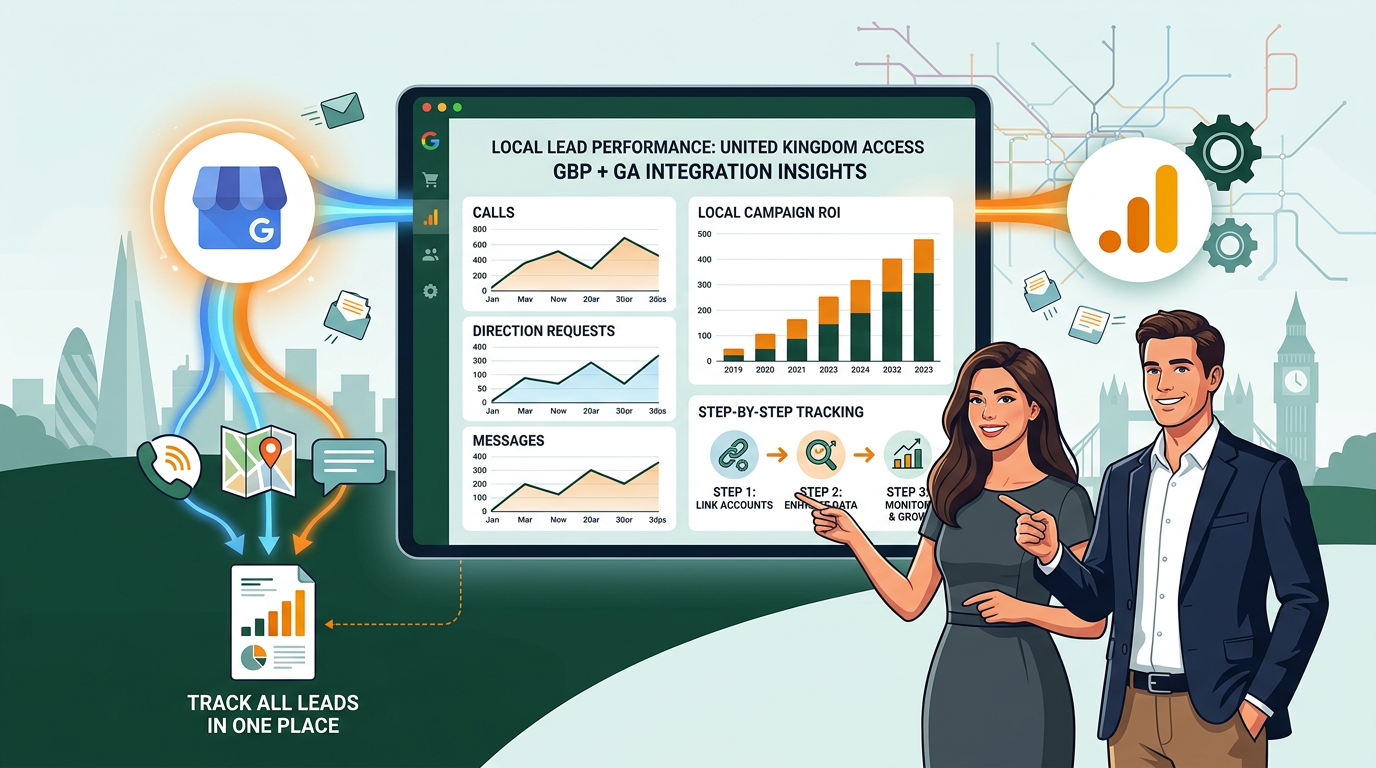
If you run a local service business, your Google Business Profile (GBP) is probably generating more interest than you realise. Calls, direction requests, messages, and website clicks all come from it. The problem is that, without connecting it to Google Analytics, those actions sit in a separate dashboard and give you no picture of what your marketing is actually producing.
The good news is that Google now lets you link your GBP directly to a Google Analytics 4 (GA4) property. Once connected, key local engagement metrics appear inside GA4 alongside your website data. That means you can finally see the full journey from Google Search or Maps through to enquiry, all in one place.
Why This Matters for UK Service Businesses
For a plumber in Brighton, a solicitor in Manchester, or a web design agency in Worthing, local search is everything. A large share of the people who find you on Google Maps never click through to your website. They call straight from the listing, ask for directions, or send a message. Without tracking those actions, you are making marketing decisions based on incomplete information.
According to data cited by Improvado, Google Business Profile drives around 47% of tracked actions as website visits, meaning the other half of your GBP engagement is happening off-site entirely. That is a significant blind spot if you are spending money on local SEO or Google Ads campaigns and trying to measure what is working.
What the Integration Actually Shows You
Once your GBP is linked to GA4, you can start seeing data points that were previously stuck in the GBP dashboard in isolation. The integration brings in metrics including:
- Phone calls made directly from your Google listing
- Direction requests (people asking Google Maps to route to your business)
- Messages sent through your Business Profile
- Website clicks originating from your listing
- Search queries that triggered your profile
When you view these alongside your GA4 website data, you can start to understand how a local SEO push, a seasonal promotion, or a Google Ads campaign is driving both on-site and off-site engagement. That is proper ROI measurement rather than guesswork.
How to Connect Google Business Profile to GA4
The process is straightforward. You do need admin access to both your GA4 property and your Google Business Profile. If your web agency manages those accounts, ask them to walk through this with you.
- Sign in to Google Analytics and go to the property you want to link.
- Click the Admin cog in the bottom-left corner.
- Under the Property column, look for Product Links or Google Business Profile Links (the exact label may vary slightly depending on your GA4 version).
- Click Link and follow the prompts to connect the relevant Business Profile to that GA4 property.
- Once linked, allow 24 to 48 hours for data to begin populating in your reports.
If you manage multiple locations or business profiles, you can link each one individually. That is particularly useful for businesses with more than one branch or service area, as you can compare local performance across locations inside the same GA4 account.
Add UTM Parameters for Even Cleaner Tracking
The native link is a solid starting point, but pairing it with UTM parameters gives you sharper data. UTM parameters are small tags you add to the website URL inside your Google Business Profile. They tell GA4 exactly where a visitor came from, so traffic arriving from your GBP listing shows up separately from organic search traffic or direct visits.
A simple UTM-tagged URL for your GBP website link might look something like this:
yourwebsite.co.uk/?utm_source=google&utm_medium=organic&utm_campaign=gbp-listing
To add it, log into your Google Business Profile, go to Edit Profile, and update the website URL field with your tagged version. GA4 will then separate that traffic into its own campaign report automatically. This is particularly helpful when you are running a local SEO campaign and want to prove it is sending more people to your site from your listing specifically.
Reading the Reports Without Getting Lost
GA4 can feel overwhelming if you are not used to it. For most small business owners, the most useful place to start is the Acquisition section. Once your GBP is linked, look for a dedicated Business Profile report or filter your traffic source to find GBP-attributed sessions.
Focus on a handful of questions rather than staring at every number:
- How many calls are coming from the listing each month, and is that number growing?
- Which search terms are triggering your profile most often?
- Are direction requests spiking after a particular campaign or content push?
- Are GBP website visitors converting at a similar rate to other traffic sources?
Reviewing these monthly gives you a clear sense of whether your local presence is gaining traction and where to focus effort next.
Third-Party Tools If You Want More Depth
If you need to pull GBP data into a spreadsheet, a client report, or a wider marketing dashboard, tools like Power My Analytics can automate that process. They connect your GBP metrics to Google Sheets, Looker Studio, or other reporting tools and refresh the data on a schedule.
This is worth considering if you are an agency managing multiple clients, or a business owner who wants a simple monthly report without logging into GA4 each time. For most small businesses, though, the native GA4 link plus UTM tracking covers everything you need day to day.
Getting Started This Week
If you already have GA4 set up and a verified Google Business Profile, connecting the two takes about ten minutes. It is one of the quickest wins available for any UK business that relies on local search, and it costs nothing beyond the time to set it up.
If you are not sure whether your GA4 property is configured correctly, or if you need help adding UTM tags across your listing and local campaigns, that is exactly the kind of thing a web design and digital marketing agency can sort out quickly. The data is there waiting. You just need the plumbing in place to read it properly.