A Worthing electrician who has done nothing to his online presence except stick a van outside his house will often lose the "emergency electrician Worthing" search to a rival with half his experience. The rival isn't better at wiring. They just filled in a free Google profile properly and collected twenty-odd reviews.
Local SEO is mostly unglamorous admin like this, and the businesses that do it steadily tend to win. This guide covers the basics in the order that pays back fastest, starting with why the playing field is more level than you might think.
Why a plumber in Worthing can beat a national brand on Google
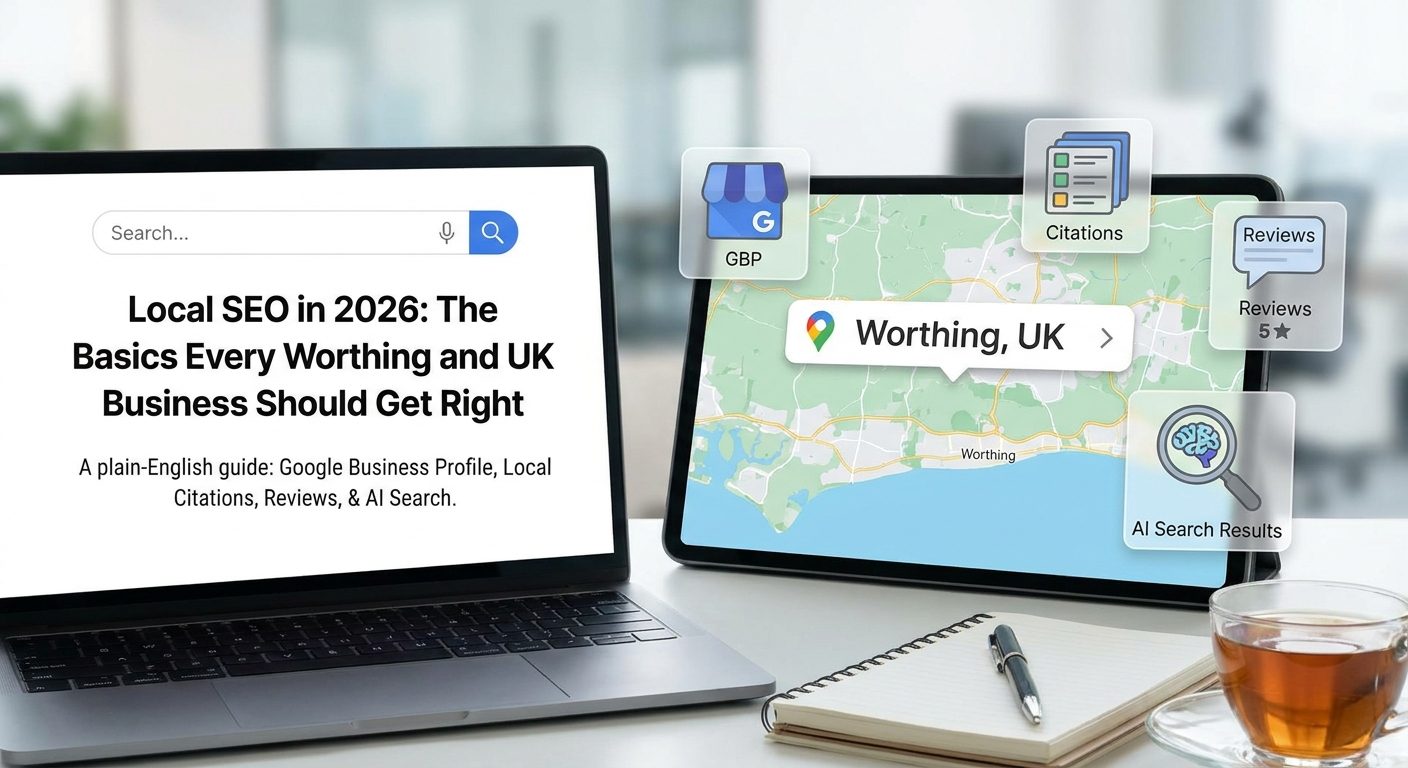
When someone types "plumber near me" or "boiler repair Worthing", Google assumes they want a business they can actually call out. So it treats the search as local. Above the ordinary blue links, it shows a map with three businesses, usually called the map pack. Those three slots are where a huge share of the phone calls go, and they are open to small firms.
Google decides who gets them using three broad factors:
- Relevance: how well your profile and website match what the person searched for.
- Distance: how close your business is to the searcher, or to the area named in the search.
- Prominence: how well known you appear, based on reviews, mentions around the web and links to your site.
Distance is the one a national brand can't copy. A company with head offices in Manchester can't conjure up a workshop in Broadwater. If you are based five minutes from the customer, you start with an advantage that no marketing budget can buy.
A worked example
Compare two searches. "Electrician" on its own is vague, so Google leans on big directories and comparison sites that cover the whole country. Nobody local has much chance there, and it wouldn't be worth the effort anyway.
"Emergency electrician Worthing" is different. The searcher wants someone nearby, quickly, and Google knows it. That search rewards a firm with a Worthing address, a profile that mentions emergency call-outs, and recent reviews from local customers. This is where you want to compete.
Setting expectations
Some wins arrive quickly. A properly completed Google profile and a handful of new reviews can move the needle within a few weeks. Links, local content and a growing reputation compound more slowly, over months. Treat the first as your quick start and the second as the real foundation.
Claim and complete your Google Business Profile before anything else
If you only do one thing from this guide, make it this. Your Google Business Profile (the listing that appears in Maps and beside your name in search) is free, quick to set up and the single biggest influence on whether you show in the map pack. That is why it sits first in the priority order, ahead of the website tweaks and directory work.
Claim and verify it
Search for your business name on Google Maps. If a listing exists, claim it. If not, create one at business.google.com. Google then needs to confirm you are real, which usually happens by video recording, phone call or a postcard with a code sent to your address. Allow a few days, and don't change your details while you wait, as that can restart the process.
Get the categories right
Your primary category matters more than almost any other field, because it tells Google what you are. Pick the one that matches your main income, such as "Plumber", "Electrician" or "Web designer". Don't pick something broader or more flattering.
Secondary categories are fine, but only where they are true. A plumber who also installs bathrooms can add "Bathroom remodeler". A plumber who has once fixed a fence shouldn't add "Fence contractor".

Fill in every field
Businesses with half-empty profiles lose to those with complete ones. Work through the lot:
- Opening hours, including bank holidays and any emergency or out-of-hours availability.
- Services, listed individually, such as "boiler servicing" or "consumer unit replacement".
- Service areas, naming the towns and neighbourhoods you cover.
- Products, if you sell anything with a clear description or price.
- Attributes, such as wheelchair access, online appointments or "women-led".
- Description, a short paragraph written for a person, saying what you do, where and for whom. Write it as you would explain it to a new neighbour, not as a list of keywords.
The mistakes that get profiles suspended
Don't stuff keywords into your business name. "Smith Plumbing" is correct. "Smith Plumbing | Emergency Plumber Worthing | 24hr Boiler Repair" breaks Google's guidelines and risks suspension, which can wipe out your visibility overnight. Use your real trading name, exactly as it appears on your van and invoices.
Use a real address. Virtual offices, serviced mailboxes and P.O. Boxes are a common cause of suspended profiles. Google wants a genuine location where your business operates.
If you are a service-area business, like a mobile tradesperson working from home, you don't have to show your house to the world. You can hide your address and instead list the towns you serve, such as Worthing, Littlehampton, Lancing and Shoreham-by-Sea. Customers see the areas you cover, and your home stays private.
Photos, posts and the small habits that keep a profile alive
A profile that was perfect in January and untouched since looks abandoned by autumn. A few small habits keep it fresh, and none take long.
Use real photos
Upload pictures of your actual team, your van, your premises and finished jobs. A tidy before-and-after of a bathroom you fitted in Goring does more than any glossy stock photo, which customers spot instantly and which tells them nothing about you. Add a few new images every month rather than a big batch once a year.
Post twice a month
Google Posts are short updates that show on your profile. Aim for roughly two a month: a seasonal offer, a project you have just finished, or a reminder such as "Book your boiler service before the cold snap". They don't need to be clever, just regular.
Answer questions and messages quickly
If you switch on messaging, reply fast. Someone with a leaking pipe will message three firms and book whoever answers first. Check the Q&A section too. Answer genuine questions yourself, and consider adding the common ones (parking, call-out fees, areas covered) with your own answers.
Read your Insights
Your profile shows how many people called, requested directions or clicked through to your website. Glance at it monthly. If calls are rising after you added new services, do more of that. If website clicks are flat, your description or photos may need work.
Keep the details current
Update your holiday hours before Christmas and bank holidays, and change your phone number the moment it changes. Stale details cost real customers: someone who finds you "open" on a closed Monday, or rings a dead number, simply calls the next business down the list.
How to get more reviews without being awkward or breaking the rules
Reviews do two jobs at once. They feed into how Google ranks you in the map results, and they are the thing most people read before deciding whether to ring you. A business with 40 reviews gathered over two years usually looks healthier than one with 40 reviews all dated last March. So aim for a steady trickle, a few a month, rather than one big push you never repeat.
The easiest way to build that habit is to ask at the moment the customer is happiest, which is straight after the job is done. Find the short review link in your Google Business Profile (look for the option to ask for reviews or share a review form) and save it in your phone. Then send it by text or email before you've left the drive or closed the invoice.
A two-line text that works
Keep it personal and from you, not a faceless system. Something like this:
Hi Sarah, it's Dave from Coastline Plumbing. Thanks for having us out today, hope the boiler's behaving! If you've got a minute, a quick Google review helps a small local business like ours a lot: [your link]
That's it. No pressure, no essay on what to write, and the link takes them straight to the star rating box. Send it to every customer, not only the ones you think will be delighted. Picking and choosing is against Google's rules and tends to show in lopsided results anyway.
Reply to everything
Answer every review, good or bad. For happy ones, a short thank you using their name is plenty. For a negative one, stay calm and stick to facts: what you understand happened, what you can put right, and an offer to talk offline ("Please call me on 01903 123456 so I can sort this out"). Future customers read your reply as much as the complaint. You can also set up alerts for new reviews so nothing sits unanswered for a week.
What not to do
Never buy reviews, swap discounts for five stars, or ask friends and family to pad your score. Google removes reviews it spots as fake or incentivised, and can penalise the profile. Beyond that, fake reviews are unlawful in the UK. The Digital Markets, Competition and Consumers Act gives the CMA direct powers to take action against them, so it's not a risk worth running for a handful of stars.
You'll find that the best reviews mention the service and the town, such as "boiler repair in Goring", because real customers naturally describe what you did and where. That helps relevance, but don't script it or hand people wording to copy. Let customers use their own words. Authentic reviews carry more weight with readers, and they're the only kind that stay up.
Citations and NAP consistency across Google, Bing, Apple Maps and UK directories
A citation is any mention of your business name, address and phone number (NAP) somewhere else online. It might be a full directory listing, a chamber of commerce members page, or a line in a local news article. Google cross-checks these to decide whether your details can be trusted, so the more they agree, the more confident it is about where you are and what you do.
The problem is that tiny differences muddy the signal. "01903 123456" on one site and "+44 1903 123456" on another, or "Rd" in one place and "Road" in the next, look like small slips to you. To a machine matching records, they can look like separate businesses. Pick one exact format for your name, address and number, and copy it everywhere.
Where to be listed first
You don't need hundreds of directories. Start with the platforms that actually get used:
- Bing Places, which feeds Bing and other services built on its data
- Apple Business Connect, which controls how you appear in Apple Maps on iPhones and other Apple devices
- Yell and Thomson Local, the long-standing UK directories
- Checkatrade or TrustATrader if you're a trade
- Facebook, with your business page details filled in properly
- Your local Chamber of Commerce, which often gives a useful local link too
Spreading out beyond Google matters more than it used to. Bing and Apple Maps supply data to other assistants, devices and, in some cases, AI tools. If your details are wrong or missing there, you can be invisible to people who never open Google Maps.

Run a simple audit
Open a spreadsheet with four columns: the site, the link to your listing, the name, address and phone shown, and a note on what needs fixing. Search your business name and phone number on Google, then work through each result. Include old listings from a previous address or a number you no longer use, because those cause the most confusion.
Fix mismatches at the source by logging in and editing the listing. If you can't claim one, most directories have a "report a problem" or "suggest an edit" option. It's dull work, but an afternoon on it can clear up months of mixed signals.
Be wary of paid services that promise to submit you to 200 directories overnight. Many of those sites are low quality, some are abandoned, and you'll struggle to correct them later when your details change. A dozen accurate listings beat two hundred sloppy ones every time.
Making your website say where you work and why you are the right choice
Your Google Business Profile gets you into the map results, but your website is what convinces Google (and people) that you really do serve Worthing, Goring or Lancing. Start with the basics. Put the town name in page titles, headings and opening paragraphs wherever it reads naturally. A title like "Web Design in Worthing | Business Name" tells everyone exactly what you do and where. If it starts to sound stuffed, you've overdone it.
Show your NAP in the footer in exactly the same format as your profile and directory listings, and embed a Google map on the contact page. Make the phone number real text rather than part of an image, so it can be read and clicked.
Add LocalBusiness schema
Schema markup is a block of code that spells out your details in a format search engines read easily. A LocalBusiness entry should include your name, address, phone number, opening hours and the areas you serve. Your web developer can add it, or many website builders and SEO plugins have a field for it. Afterwards, paste the page address into Google's Rich Results Test to check it reads correctly and has no errors.
Speed, mobile and easy contact
Most local searches happen on a phone, often by someone in a hurry with a leaking tap or a dead boiler. If your site takes six seconds to load or the text is tiny, they'll go back to the results and ring the next business. Compress your images, drop unused plugins, and check how the site looks on an actual phone, not only a resized browser window.
Then make it easy to act. Add a click-to-call button at the top of every page (a simple tel: link does the job), and keep a short enquiry form above the fold. Name, phone number and a message is plenty. Every extra field costs you enquiries.
Show local proof
Generic claims like "friendly, reliable service" don't separate you from anyone. Local proof does. Publish case studies of actual jobs with the area named, such as "Replacing a bathroom in Broadwater". Feature local clients by name where they've said yes, and use your own photos from real jobs rather than stock images. A photo of your van outside a recognisable street does more than a smiling model in a hard hat.
Get permission before naming anyone, and keep the detail useful: what the problem was, what you did, how long it took. That's the kind of page a nervous customer reads before picking up the phone.
Location pages that help people instead of looking like spam
Create a page for an area only where you genuinely work. If you are a Worthing business that regularly travels to Littlehampton, Brighton and Chichester, those three towns plus Worthing itself can each earn a page. If you have never taken a job in Chichester, a page claiming you cover it will not fool Google, and it will not fool the customer who rings you from there.
The classic mistake is the doorway page. This is one block of text copied ten times with only the town name swapped, so "Boiler servicing in Worthing" becomes "Boiler servicing in Lancing" and so on. Google treats that as thin content and tends to ignore it. Visitors who land on it can tell it was not written for them.
What a good area page contains
- Local projects you have actually completed, with a short description and, ideally, the street or neighbourhood.
- The specific problems of that area, such as older housing stock, flood risk or exposure to the sea.
- Testimonials from customers in that town, with their first name and area.
- Travel or response times, for example "usually with you within 30 minutes of a call".
- A unique map embed or your own photos of local jobs, not stock images.
Each page also needs its own canonical URL, plus a unique title and meta description. A title like "Flat Roof Repairs in Worthing | Your Business Name" and a different one for Littlehampton stops your own pages competing with each other.

Here is a worked example. A generic template says "We offer professional roofing in Worthing. Contact us for a free quote." A useful page from a Worthing roofer talks about how salt-laden wind and damp sea air age flat roofs faster than inland ones. It explains why felt and cheap fixings fail early on the seafront, which membranes and flashings it recommends, and how it checks for blocked outlets after autumn gales. Add a photo of a real job on a Worthing seafront terrace and a quote from that homeowner, and you have something no template can match.
If you only have one premises and work in a tight area, do not feel you must build ten pages. One strong page with a clearly stated service area beats ten weak ones every time.
What AI Overviews and ChatGPT mean for being found locally
A growing share of local searches now show an AI-generated overview above the usual results, and some people skip Google altogether and ask ChatGPT for a local recommendation. It sounds like a big shift, but these tools draw on the same foundations you have already been building: an accurate profile, reviews, consistent citations and clear website content.
The first job is to find out where you stand. Open an incognito window and search for things like "best electrician in Worthing" or "emergency plumber near Lancing". Note whether you or your competitors are named, and what the summary says about them. Manual checks in incognito are the simplest way to see this, and they cost nothing. Do the same in ChatGPT and screenshot the results so you can compare later.
Next, make your website easy to quote. AI tools favour plain, specific, factual statements over vague marketing. "We repair and replace combi boilers across Worthing, Goring and Durrington, with most call-outs attended the same day" is far more usable than "Your trusted heating partner". Add an FAQ section answering the questions customers really ask, such as how much a service costs, how quickly you can attend and whether you are insured.
Review text matters more than it used to. AI summaries often paraphrase what customers say, so a review mentioning "fixed our leaking flat roof in Worthing within two days" does more work than "great service, five stars". You cannot script reviews, but you can ask customers to mention what you did for them and where.
A simple monthly routine to keep your local SEO working
Local SEO is not set and forget. Competitors keep optimising, customers keep leaving reviews, and your own details change. A little regular attention is what stops a good profile slowly slipping down the map pack.
Monthly (about an hour)
- Check for new reviews and reply to every one, good or bad.
- Publish one or two profile posts, such as a recent job or a seasonal offer.
- Add a handful of fresh photos from recent work.
- Look at the Insights in your Google Business Profile to see how people found you.
Quarterly (a couple of hours)
- Audit your citations and fix any mismatched name, address or phone number.
- Check the website for broken links and slow pages, especially on mobile.
- Re-run your map pack and AI searches, and compare them with your earlier screenshots.
Keep your tracking simple by watching three numbers: calls from your profile, direction requests, and enquiries from the website. If those are climbing, the work is paying off. If they are flat for three months, something above needs attention.
Finally, know when to ask for help. If your profile has been suspended, you manage multiple locations, or you are unsure about schema markup, a local agency can save you weeks of guesswork. A short conversation with someone who handles these problems daily is often cheaper than trial and error.