Around 46% of all Google searches have local intent. That means nearly half the people searching right now are looking for something near them, whether that's a plumber in Worthing, a solicitor in Brighton, or a decorator in Chichester. If your business is not showing up in those results, you are handing those enquiries to a competitor.
The good news is that local visibility is one of the more controllable parts of digital marketing. You do not need a big budget or a technical background. You need the right setup and a bit of consistency.
Start With Your Google Business Profile
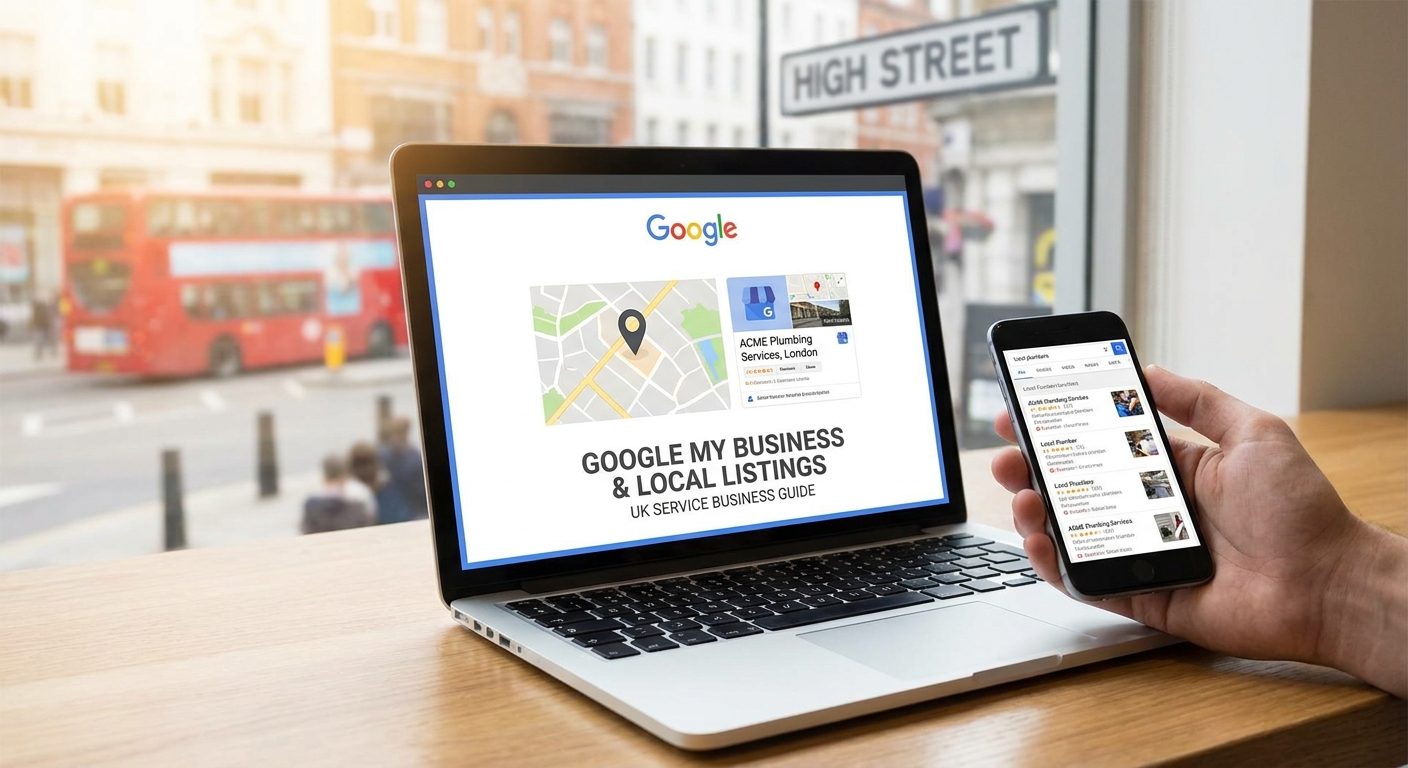
Google Business Profile (still widely called Google My Business) is the single most important local listing you can have. It controls what appears in Google Maps and in the local results panel when someone searches for your type of business in your area.
To get started, go to business.google.com and either claim an existing listing or create a new one. Google will send a postcard to your business address with a verification code. Until you verify, you have limited control over how your listing appears.
If your listing already exists but was created by Google automatically or by a previous owner, you can request ownership through the same process. It takes a few days but is worth doing before anything else.
Fill In Every Section Properly
A half-empty profile is almost as bad as no profile. When you are inside your Google Business Profile dashboard, work through each section carefully.
- Business name: Use your real trading name. Do not stuff keywords in here. Google can suspend listings that do this.
- Category: Choose the most accurate primary category first, then add secondary categories where relevant. For example, a roofing contractor might use "Roofing contractor" as primary and add "Building contractor" as secondary.
- Address and service area: If you work from a fixed premises, add the address. If you visit customers (like most trades), set a service area instead and hide your address if you do not want it public.
- Phone number and website: Use a local phone number if you have one. It adds a small trust signal.
- Opening hours: Keep these accurate and update them for bank holidays. Google shows a "closed" warning if someone searches outside your listed hours.
- Business description: You get 750 characters. Use plain language to describe what you do, where you work, and what makes you different. Mention your town and surrounding areas naturally.
- Services and products: Add individual services with descriptions and prices where possible. This feeds directly into Google's understanding of what you offer.
Photos Make a Real Difference
Listings with photos consistently outperform those without. Add a proper logo, a cover photo, and at least five to ten photos of your work, premises, team, or vehicles. For a decorator, that means before-and-after shots. For an accountant, it might be your office and a professional headshot.
You do not need professional photography. Clear, well-lit photos taken on a modern smartphone are fine. Update them every few months to show Google your listing is active.
Reviews: How to Get Them and What to Do With Them
Reviews are one of the strongest ranking factors in local search. Businesses with more recent, genuine reviews tend to appear higher and convert better when they do appear.
The most effective way to get reviews is simply to ask. After completing a job, send the customer a direct link to your Google review page. You can find this link in your Google Business Profile dashboard under "Get more reviews." Save it as a template in your email or text messages so you can send it in seconds.
A few things to keep in mind:
- Never offer incentives for reviews. Google's guidelines prohibit it and it can get your listing penalised.
- Respond to every review, positive or negative. Thank happy customers by name. Address complaints calmly and professionally. This shows potential customers how you handle things.
- Aim for a steady trickle of reviews rather than a sudden burst. Ten reviews this month and none for six months looks less credible than a consistent one or two per month.
Beyond Google: Other UK Directories Worth Your Time
Google Business Profile is your priority, but consistency across other directories strengthens your overall local SEO. The key is making sure your business name, address, and phone number (often called NAP) are identical everywhere. Even small differences, like "St" versus "Street," can create confusion for search engines.
The UK directories worth being listed on include:
- Bing Places for Business: Bing has a meaningful share of UK search traffic, particularly among older users and on Windows devices.
- Yell.com: Still a well-known directory in the UK with decent domain authority.
- Thomson Local: Another established UK directory with strong local signals.
- Apple Maps: Worth claiming via Apple Business Connect, especially if your customers use iPhones for navigation.
- Checkatrade or Rated People: For trades, these have their own audience and add credibility.
- Facebook Business Page: Not a directory in the traditional sense, but Google does index Facebook pages and customers often check them for reviews and recent activity.
Keep Your Listing Active With Posts and Updates
Google Business Profile lets you post updates, offers, and events directly to your listing. These appear in your panel in search results and in Google Maps. Not many small businesses use this feature, which means it is an easy way to stand out.
Posting once or twice a month is plenty. Share a completed project, a seasonal offer, a new service, or simply a useful tip for local customers. Keep posts short, use a real photo where possible, and include a call to action like "Call us for a free quote."
Make Sure Your Website Supports Your Local Visibility
Your Google Business Profile and your website work together. Google looks at your website to confirm and expand what your listing claims, so the two need to be consistent.
At a minimum, your website should include your full business name, address, and phone number in the footer on every page. Your homepage and any service pages should mention the towns and areas you cover naturally within the content, not crammed in awkwardly. A page titled "Electrician in Worthing" will do more for local search than a generic "Our Services" page with no location detail.
If you serve several towns, consider creating a dedicated page for each main area. Keep the content genuinely useful and specific to that location rather than copying the same text with the town name swapped out.
A Simple Routine to Stay on Top of It
Local listings are not a one-off task. Setting aside 20 minutes a month is enough to keep things working well. Use that time to:
- Respond to any new reviews.
- Publish a Google Business Profile post.
- Check your listing for any suggested edits from the public (Google allows anyone to suggest changes).
- Add any new photos from recent work.
If you have not claimed your Google Business Profile yet, that is the place to start. The whole process takes less than an hour and the payoff, more local visibility, more calls, more enquiries, is about as direct a return as you will find in digital marketing.